> For the complete documentation index, see [llms.txt](https://tapp-exchange.gitbook.io/tapp-exchange/llms.txt). Markdown versions of documentation pages are available by appending `.md` to page URLs; this page is available as [Markdown](https://tapp-exchange.gitbook.io/tapp-exchange/user-guides/trade/sor.md).
# Smart Order Routing
## What is SOR ?
**Smart Order Routing (SOR)** automatically finds the best way to execute your swap across available liquidity on Aptos. Instead of sending your trade through a single pool, SOR may:
* Split your order across multiple pools,
* Hop through one or more intermediary tokens,
* Balance price impact vs. fees to maximize your final output.
Why this matters:
* Helps reduce slippage (the gap between quoted and executed price),
* Tackles fragmented liquidity by tapping multiple pools,
* Improves outcomes during volatile markets.
## Where you’ll see SOR in the app
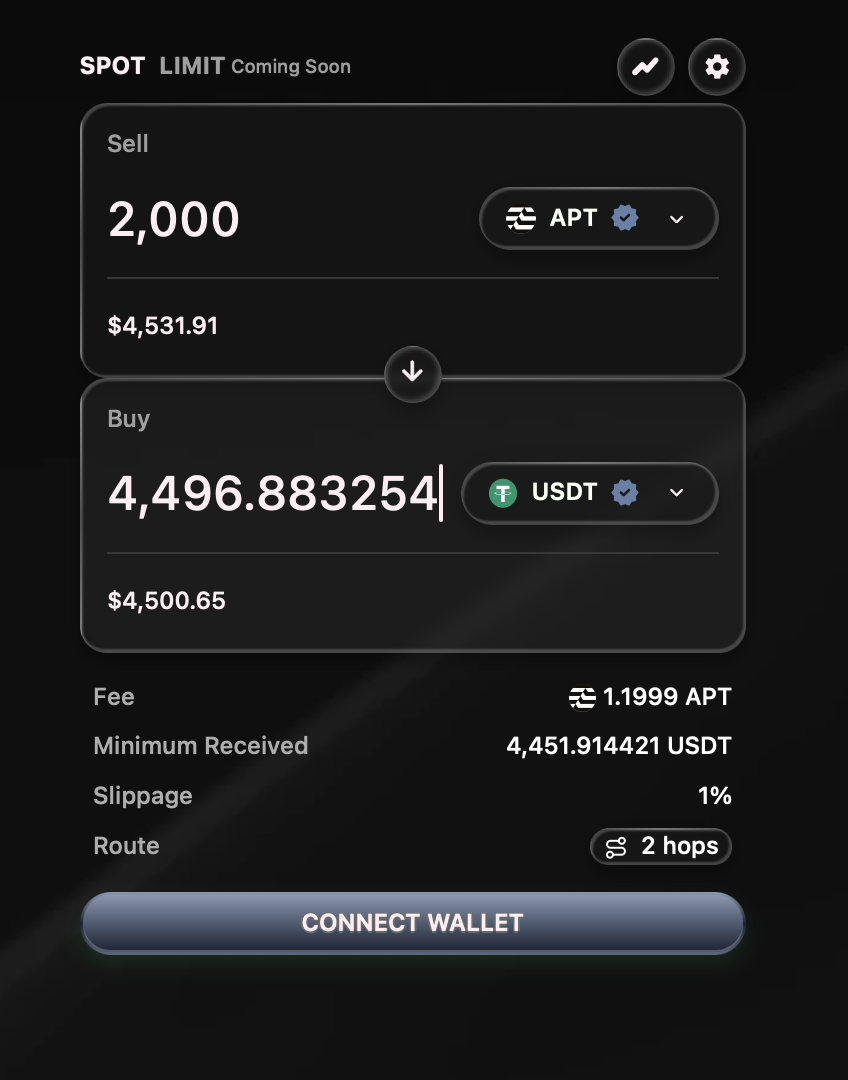
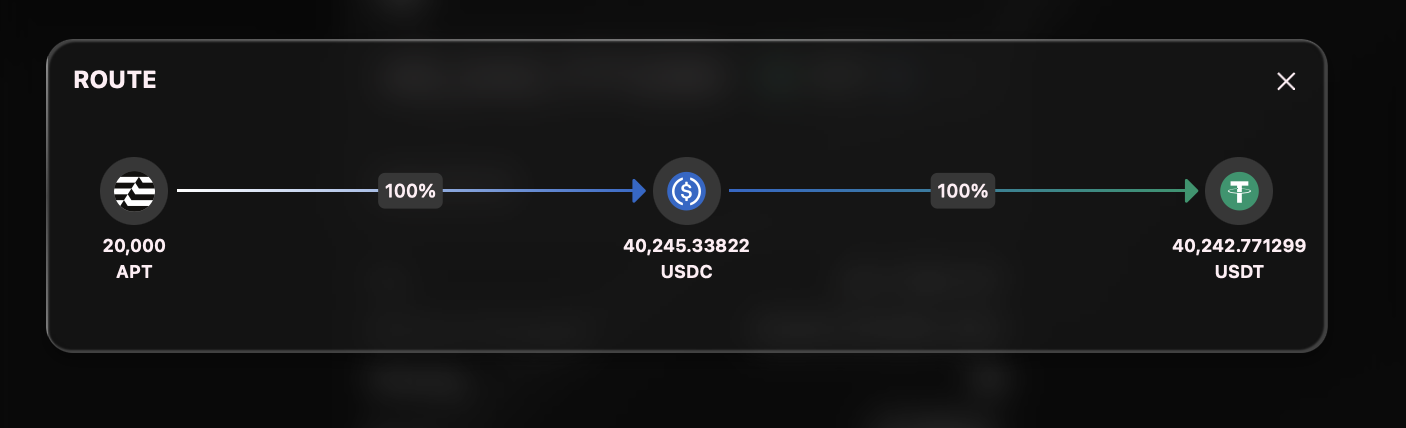
* **Route Preview**: A compact line showing the path (e.g., APT → USDC → TOKEN).
* **Split Percentages**: If your order is split, you’ll see each path’s share (e.g., 60% / 40%).
* **Best Price Badge**: Confirms the app is routing via the most cost-effective path available.
* **Min. received**: The guaranteed minimum after slippage tolerance.
* **Price Impact** and **Fees**: Estimated effect of your size on pool price + DEX/network fees.
**Tip**: Click **“Hops”** in the swap panel to expand the exact hops, split % and amount received through each hops
## Quick Start
1. **Select tokens** and **amount** on the Swap page.
2. Check the **quote**. You’ll see the **route** SOR plans to use.
3. (Optional) Adjust Slippage Tolerance in settings.
4. Review min. received, price impact, and fees.
5. Click Swap → Confirm in your Aptos wallet → Wait for on-chain confirmation.
6. Done! Your received amount appears in your wallet and the app receipt.
**Heads-up**: Quotes are **time-sensitive**. If the market moves before you confirm, the app will **requote** automatically.
## How routing works
* **Single-hop vs Multi-hop**: Sometimes going A → B directly is worse than A → C → B. Tapp’s SOR checks both.
* **Split routing**: For larger orders, SOR can spread your trade across multiple pools to **lower price impact** even after counting extra fees.
* **Gas/fee-aware**: Extra hops aren’t free. SOR weighs the **extra cost** against the **better price** and picks whichever leaves you with **more output**.
* **Liquidity sources**: Tapp’s SOR considers Tapp pools (AMM/CLMM/stable) and whitelisted partner liquidity on Aptos based on availability.